Display Bypass Test for Vton-Gen 2 Controllers
WARNING: The below steps should be exercised with care. Mistakes may cause additional issues. You may choose to send your components to CYC or an Authorised Reseller for testing instead.
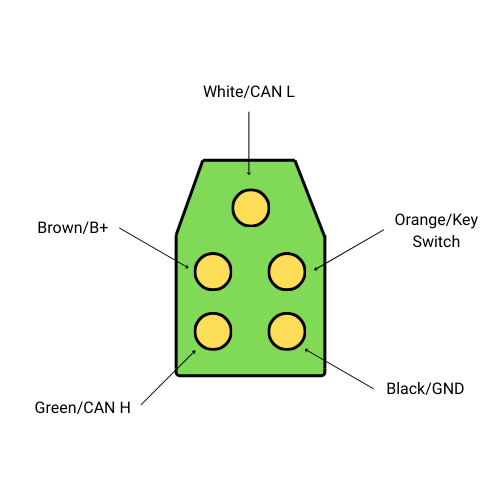
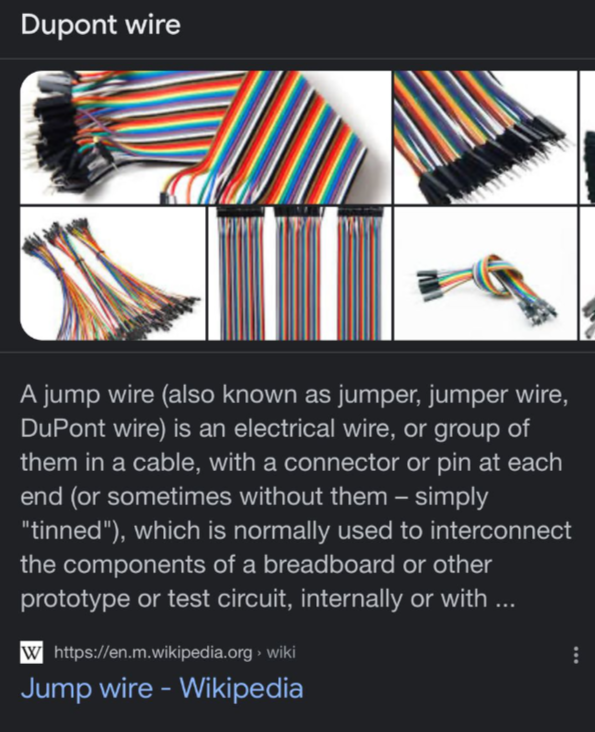
- Unplug the display and short-circuit the B+ & Key-In pins using a Dupont wire. See the diagram below for reference.
- Attempt to connect to the CYC Ride Control app.
- Lift the rear wheel and press in the throttle.
WARNING: Lift the rear wheel BEFORE attempting to press the throttle. By default, the system is in the highest assist level.
B+ and Key-In pin locations
Dupont wire reference
Solution
1. Replace the display
With the B+ and Key-in pins connected, if you can connect to the Ride Control app and your throttle is outputting power when pressed down, then the display has failed and needs to be replaced.
2. Replace the controller
With the B+ and Key-in pins connected, it is likely a controller issue if you cannot connect to the Ride Control app and your throttle is not outputting any power when pressed down. Replace the controller accordingly.
Warranty Information
If the component/s are still within its warranty period and show no signs of physical alteration or damage (such as cut wires), the necessary component/s will be replaced under warranty.